- Collecting customer feedback while visitors are browsing your store
- Showing surveys across your storefront or on specific pages
- Running quick feedback campaigns without interrupting the shopping experience
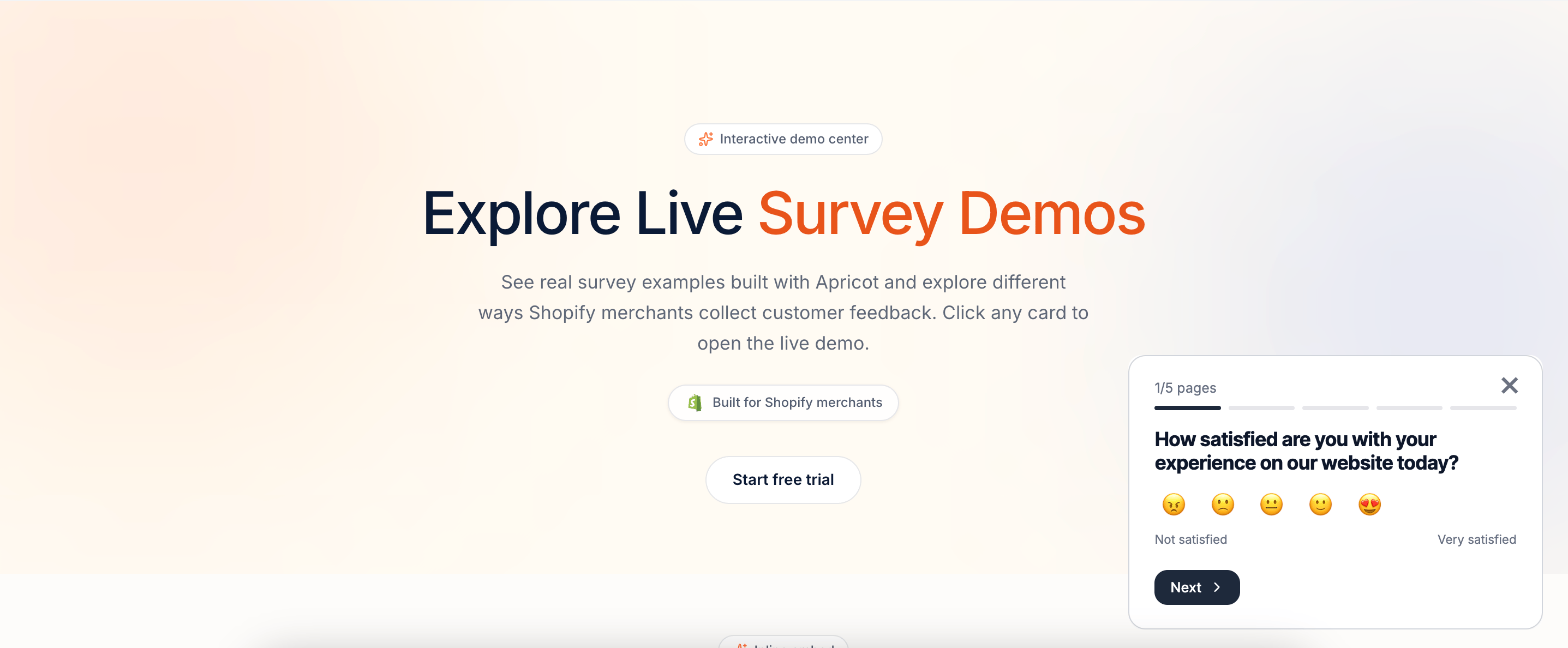
Set Up an On-site Survey Popup
Follow these steps to enable your survey popup:1
Step 1: Open your survey publishing settings
Go to: Apricot Dashboard → Surveys → Select your survey → Edit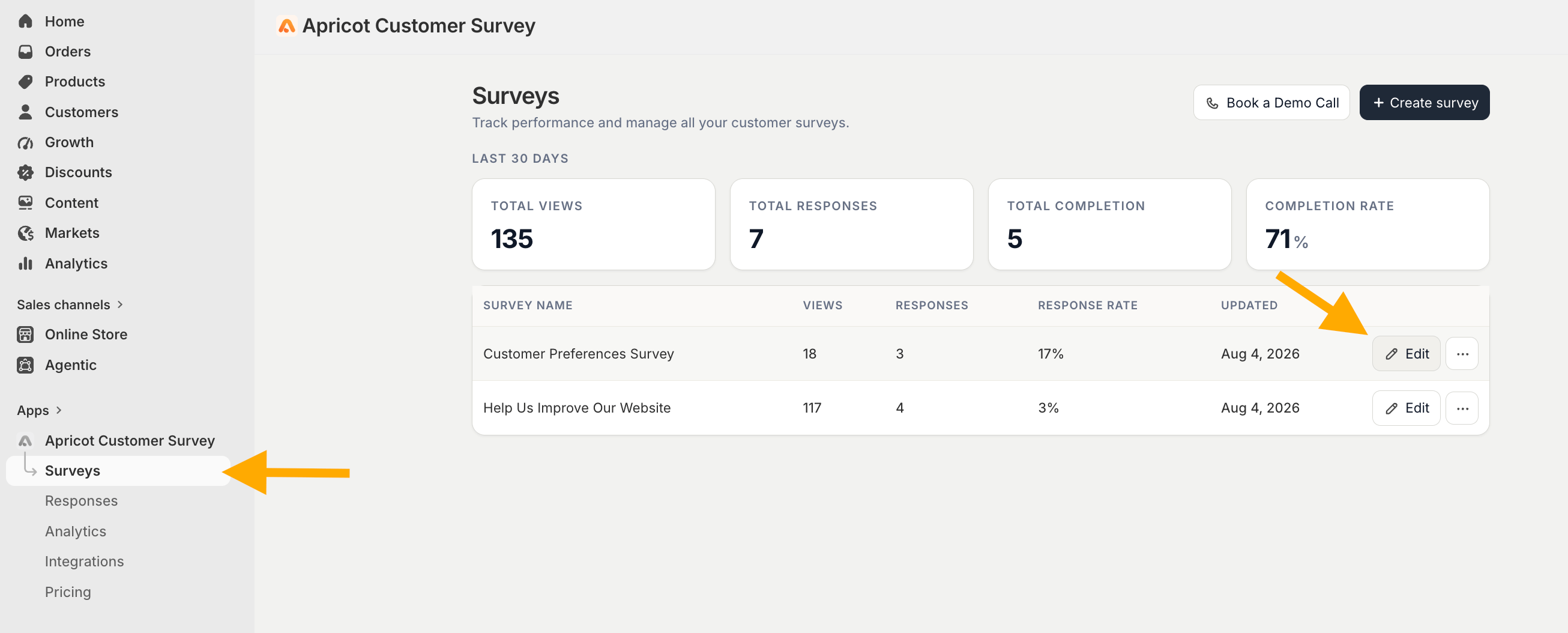
2
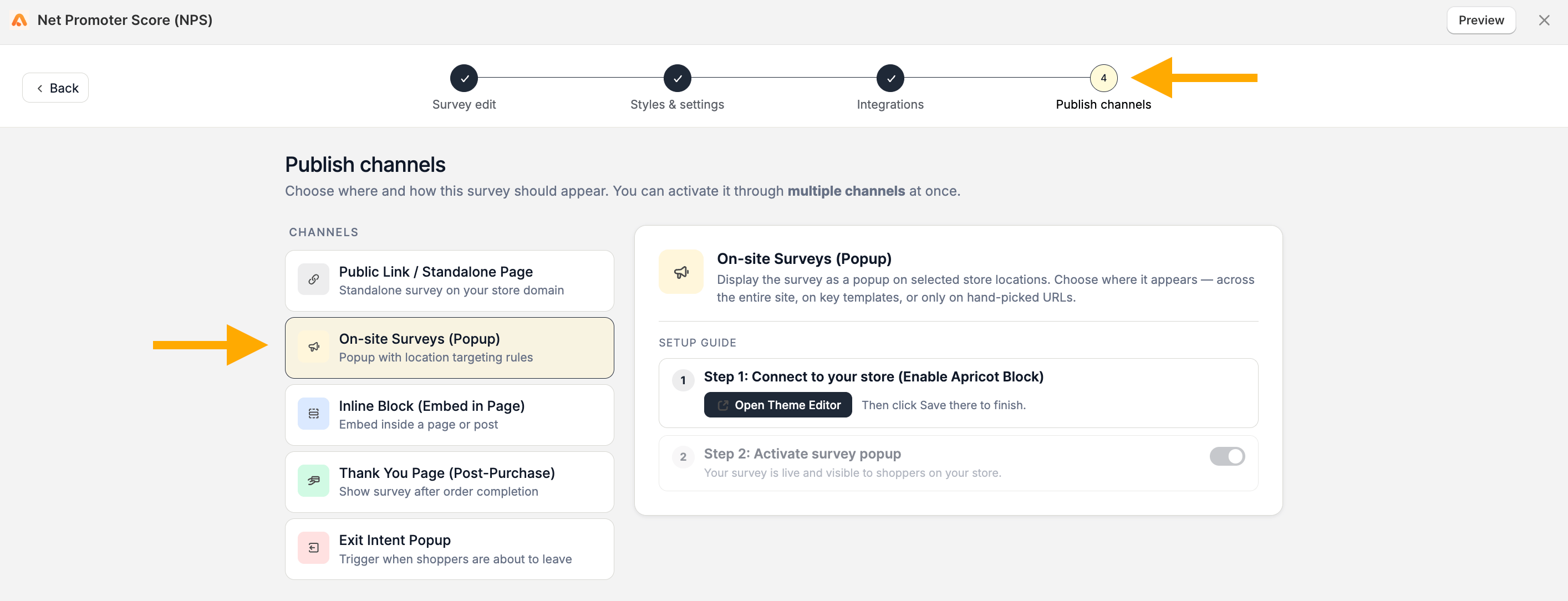
Step 2: Connect Apricot to your store
You will see the setup guide with the required steps to activate your popup.The first step is to enable the Apricot Block in your Shopify theme.Click on Open Theme Editor button and you will be redirected to:Shopify Dashboard → Online Store → Customize → App EmbedsThe Shopify theme editor will automatically search for Apricot. Enable the Apricot app embed and click Save.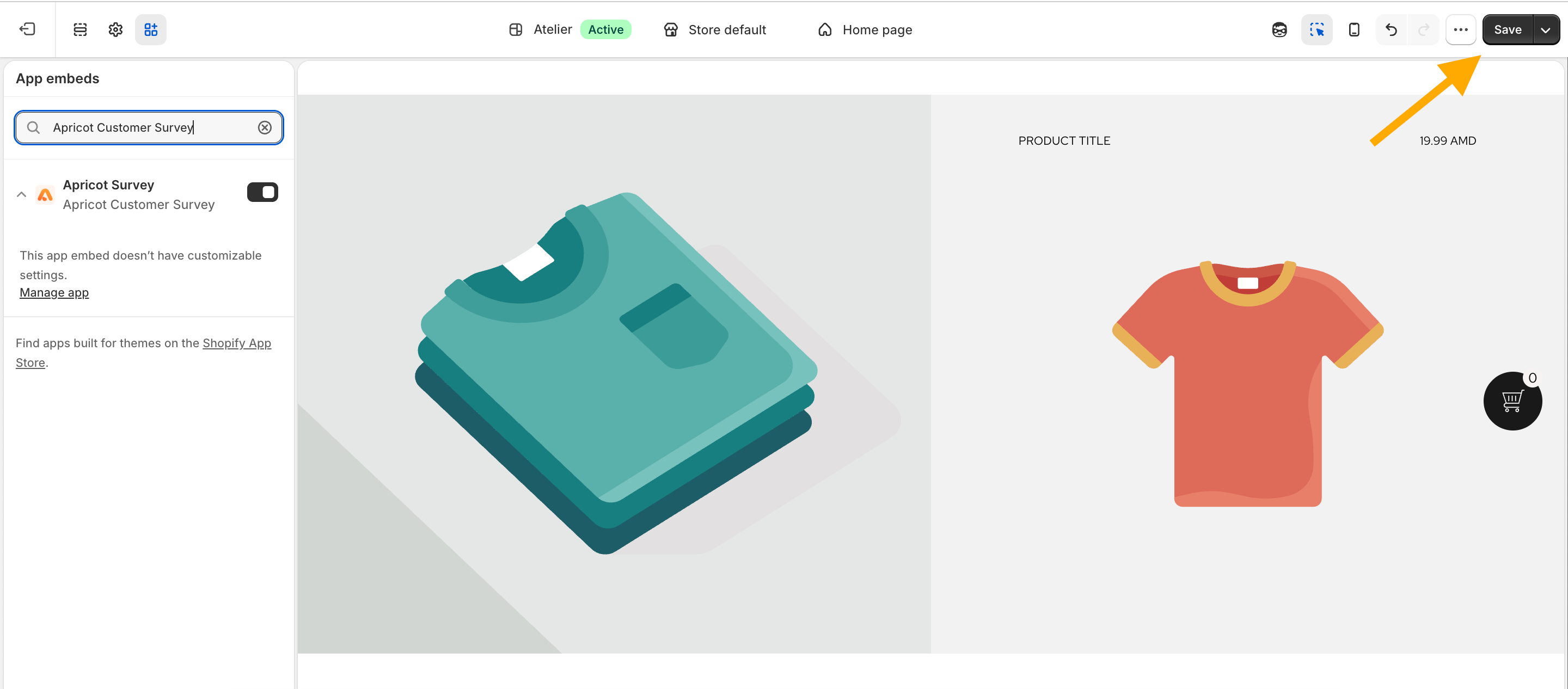
The Apricot Block must be enabled for Apricot surveys to work correctly. If the block is not activated, your surveys may not appear, and some functionality will not work properly.
3
Step 3: Activate your survey popup
After enabling the Apricot app embed, return to your Apricot Dashboard. The connection step will now be marked as completed.Continue with Step 2: Activate survey popup to enable your popup.After activating the popup, click Save to apply your changes.