- Understanding why visitors leave your store
- Collecting feedback from customers who did not complete a purchase
- Running exit surveys without interrupting the browsing experience
Set Up an Exit Intent Popup
Follow these steps to activate your exit intent survey:1
Step 1: Open your survey settings
Go to: Apricot Dashboard → Surveys → Select the survey you want to publish → Edit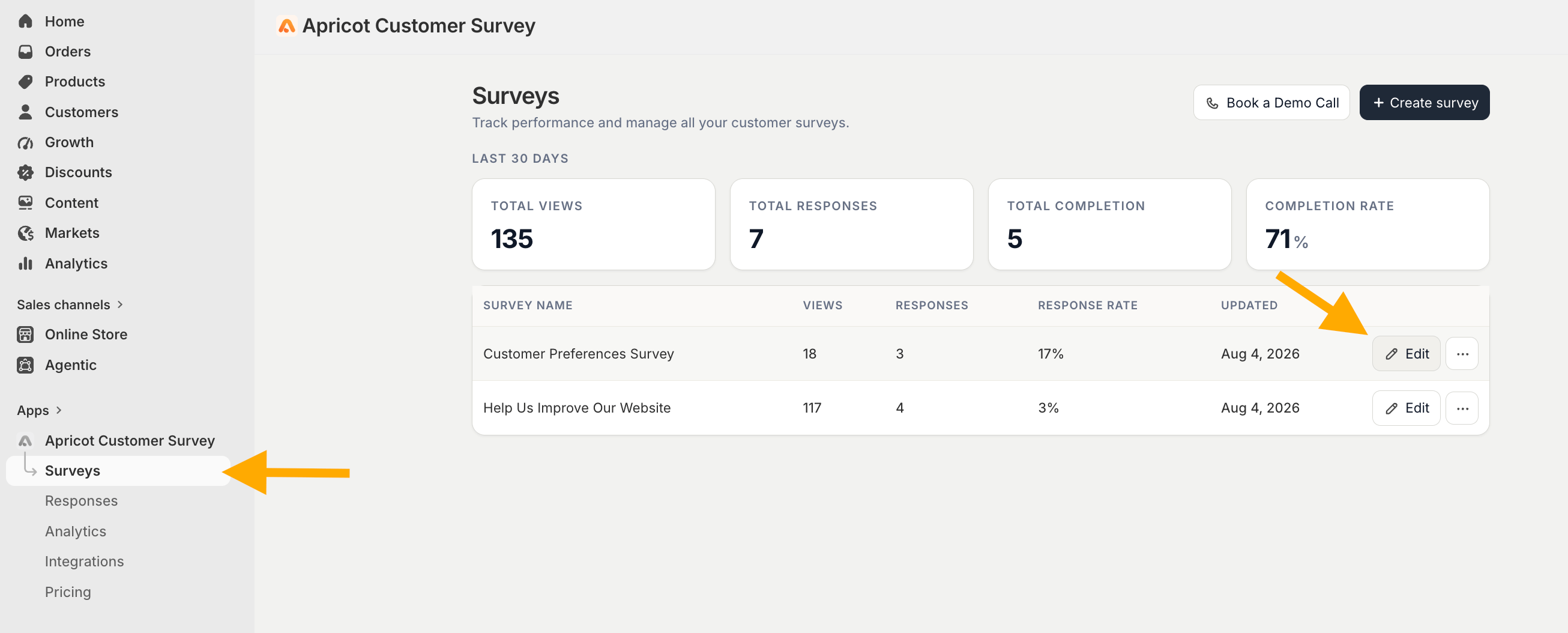
2
Step 2: Select Exit Intent Popup
From the survey editor, navigate to the Publish Channels section and select Exit Intent Popup. 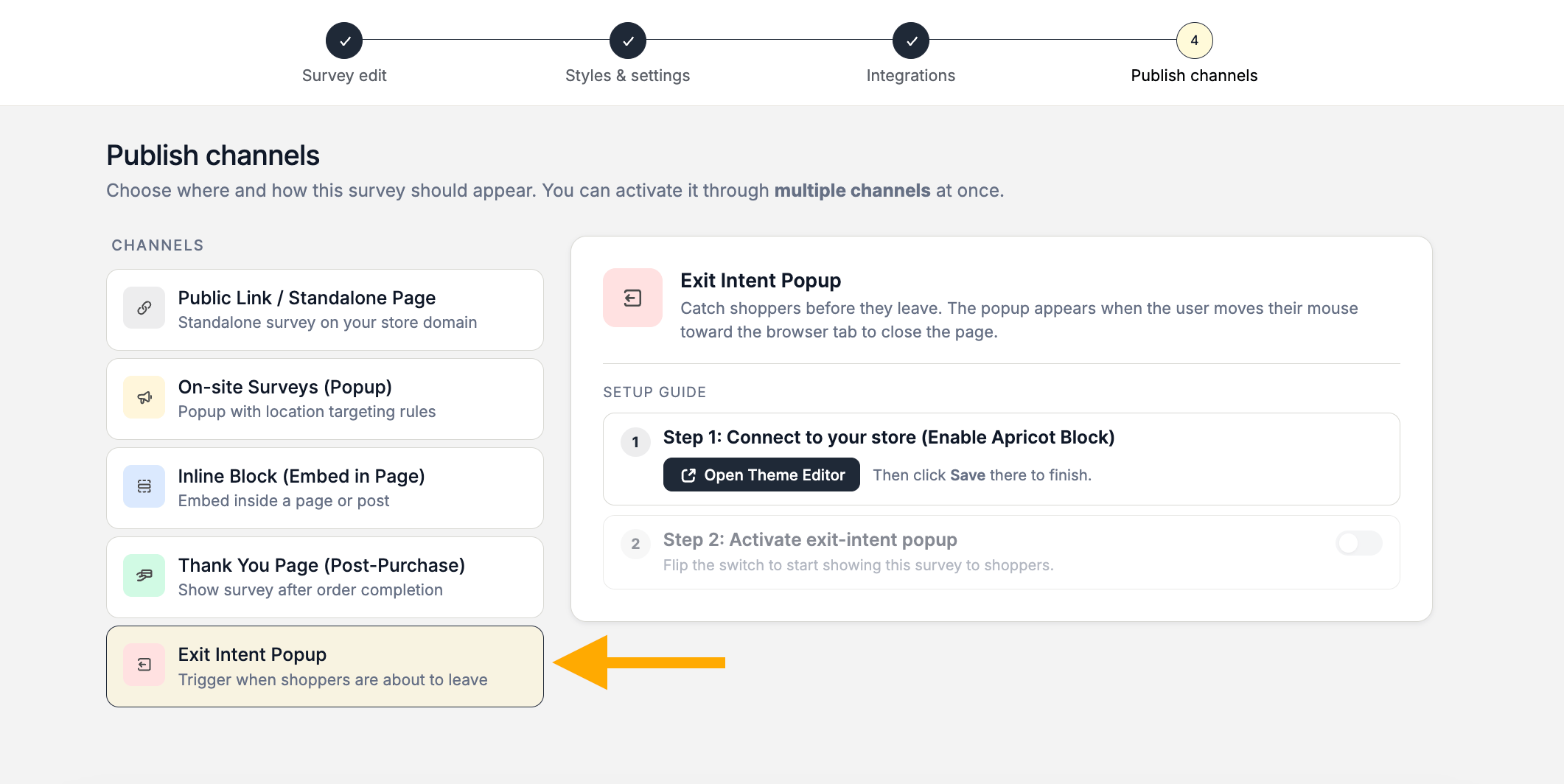
3
Step 3: Connect Apricot to your store
The first step is to enable the Apricot app block in your Shopify theme.Click on Open Theme Editor and you will be redirected to:Shopify Dashboard → Online Store → Customize → App EmbedsThe Shopify theme editor will automatically search for Apricot Customer Survey and enable the Apricot app embed. All you need to do is click Save to apply the changes.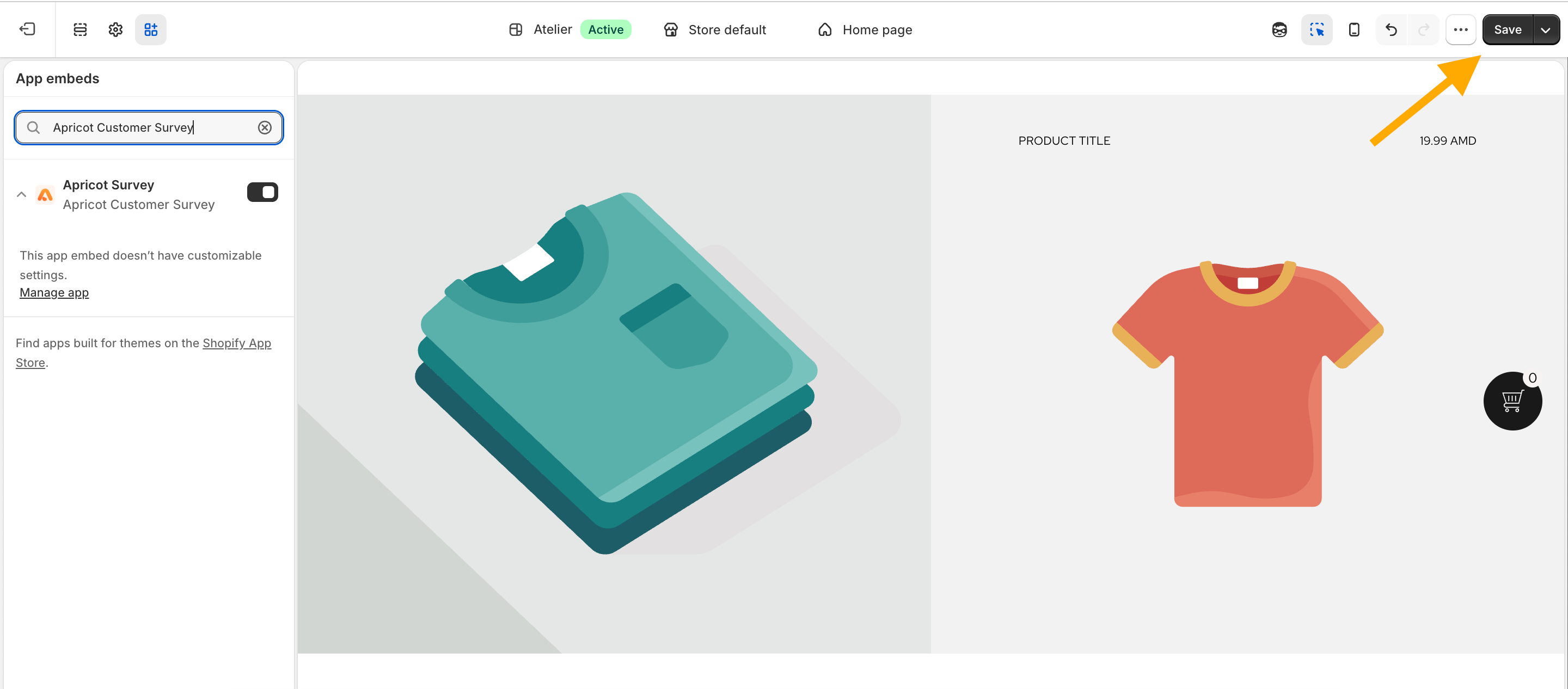
The Apricot app block must be enabled for Apricot surveys to work correctly. If it is not activated, your survey popup will not appear on your storefront.
4
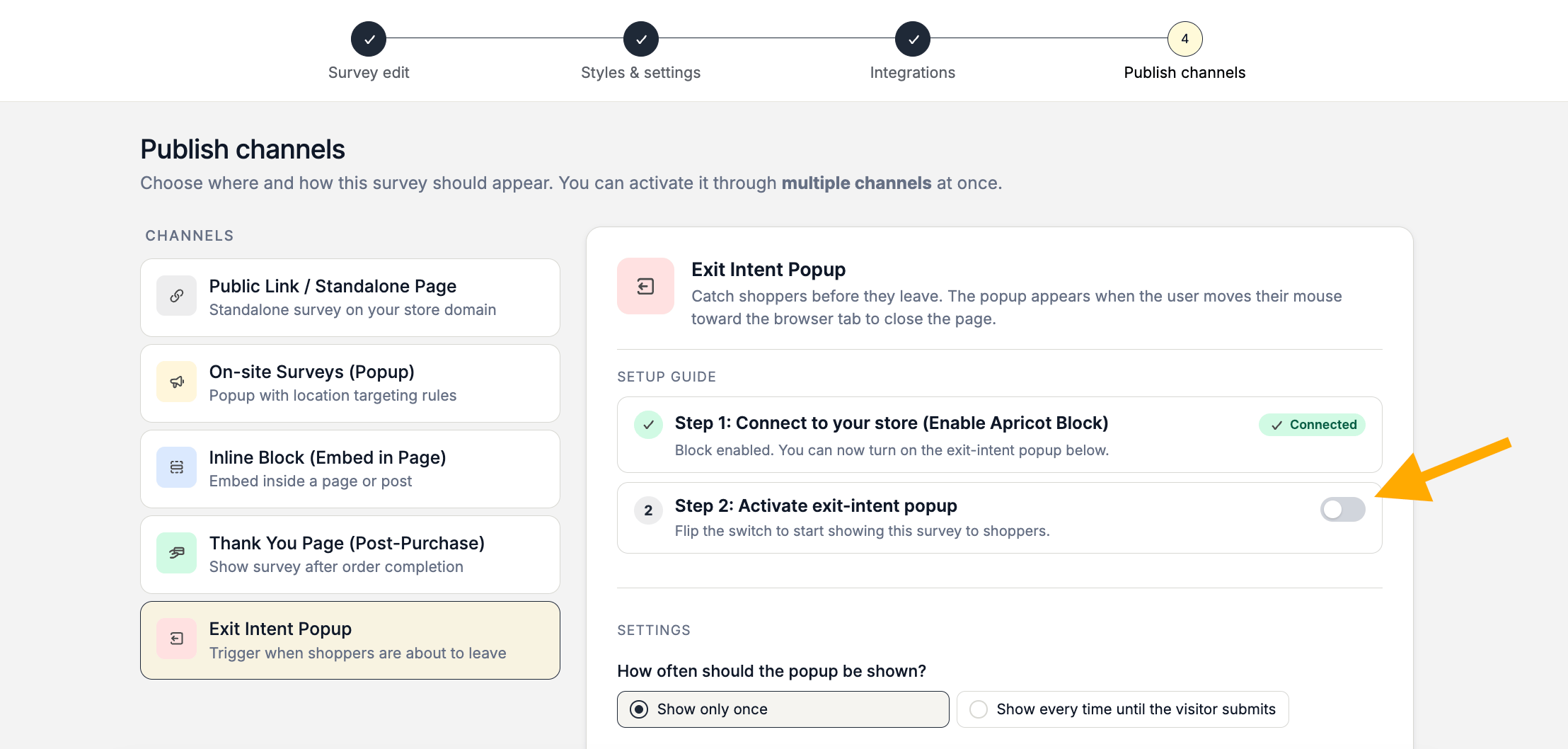
Step 4: Activate the exit intent popup
After connecting Apricot to your store, continue with the next step:Enable Exit Intent Popup and click Save.