
If a customer answers “Yes” to Question 1 → Jump to Question 5This allows you to create more relevant and personalized survey experiences while keeping your surveys short and focused.
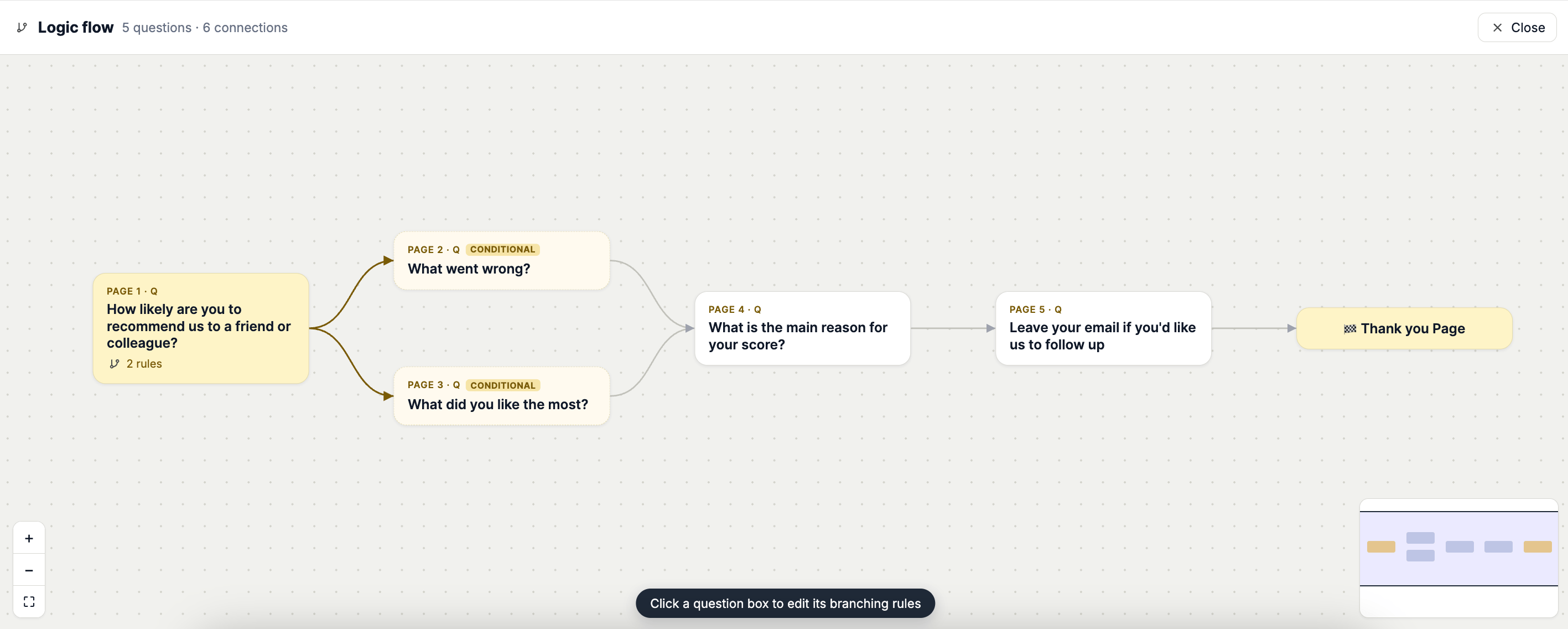
How Branching Logic Works
Apricot’s Branching Logic uses a simple IF → THEN structure. IF defines the condition that should trigger the rule.THEN defines what Apricot should do when the condition is met. For example:
IF Question 1 is equal to “Yes” THEN Jump to Question 5You can add multiple conditions to a rule and choose from different actions depending on the survey flow you want to create.
What You Can Do with Branching Logic
Apricot supports several actions that let you control how your survey behaves:- Jump to Question — Send respondents to a specific question based on their answer.
- Show Questions — Display specific questions when a condition is met.
- Hide Questions — Hide questions based on a respondent’s answer.
- End Survey — End the survey when a specific condition is met.
- Redirect to URL — Send respondents to a specific URL.
- Add Customer Tags — Add tags to Shopify customers based on their responses.
By default, respondents move to the next question after submitting an answer unless a branching rule changes the survey flow.
Create Your First Branching Rule
To start using branching logic, open your survey and click Survey Branching from the survey editor.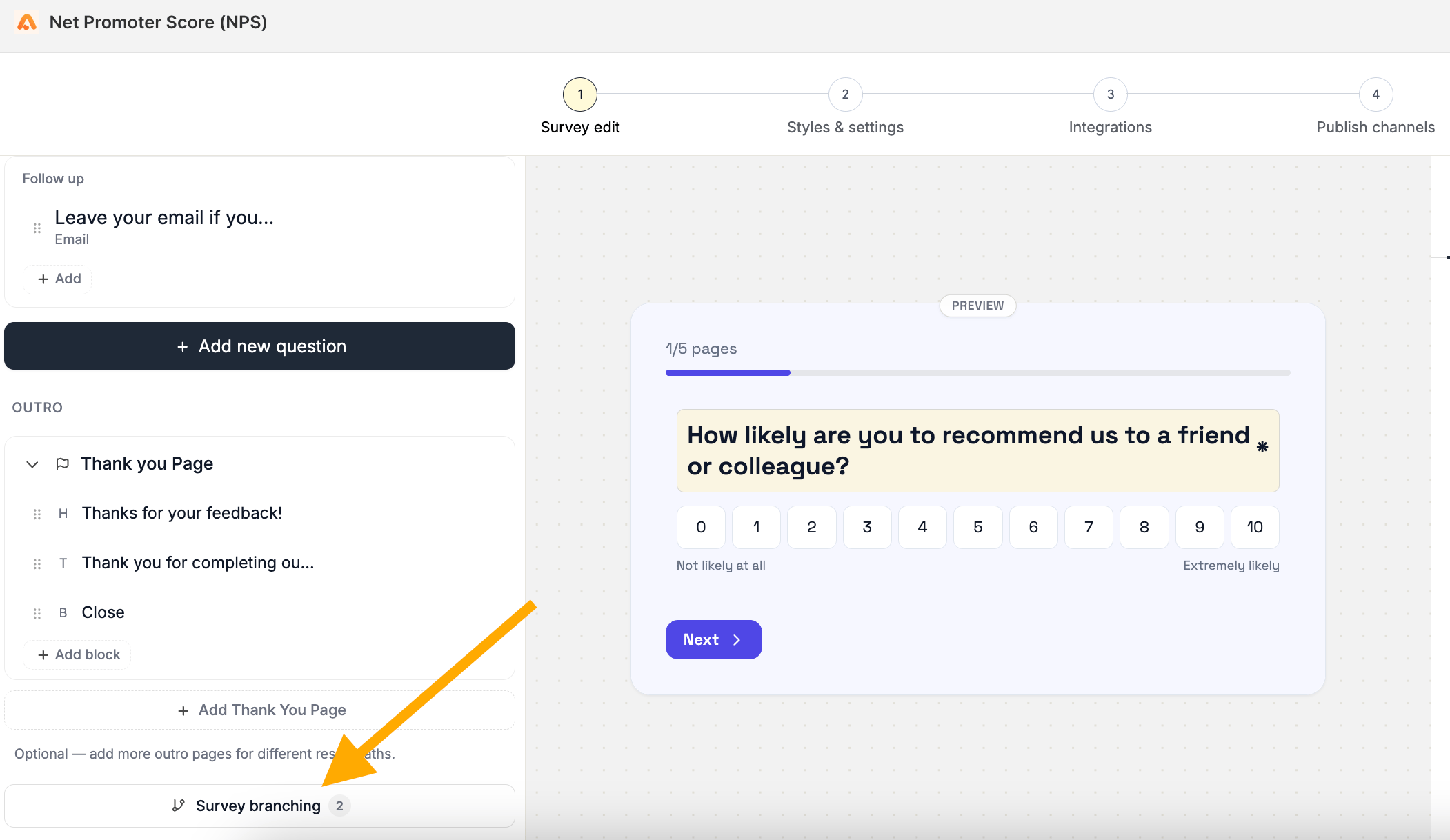
Explore Branching Actions
Each branching action has its own guide with examples and setup instructions:- Jump to Question (Logic Jump)
- Show Questions
- Hide Questions
- End Survey
- Redirect to URL
- Add Customer Tags